With the emergence of Comparison Shopping Services inside the Google Ads ecosystem, a few things might be affected when choosing to work with a CSS provider other than Google Shopping - Two of them being the free listings and placements of product listings outside of Europe.
If you are affected by one of these issues, don’t worry; it's very easy to fix, but you might wonder why you need to fix it in the first place since it has either started showing just now and you didn’t have that issue befo…
In case your Google Merchant Center got suspended due to misrepresentation, and you wonder how to fix the issues causing the suspension, we have listed a few common reasons worth investigating.
Google usually doesn’t explain exactly what caused that type of suspension, so you are left on your own trying to figure it out, and although there are probably more reasons as to why that suspension might happen, we have listed a few issues which we have seen is the reasons in those relevant cases.
Avai…
Product feed management is an iterative process that aims to improve overall feed quality and the ROAS of your campaign. Its results can be measured by the impact of these changes on campaign performance enabled by the feed.
The product feed management process can be divided into three main tasks listed below, all of them aiming to optimize and improve overall feed quality:
1) Filtration
This process enables you to exclude unwanted items, such as out-of-stock items, discontinued items, hidden…
The Global-e modifier connects to your Global-e account and returns the converted price for each product in the destination countries you sell to. Use it to build country-specific feeds that match the prices shoppers actually see on your site.
When to use this
Reach for this modifier when you sell internationally through Global-e and need your shopping feeds (Google, Meta, etc.) to show the local currency and price for each target country. Google's stable landing page policy requires the price i…
Google Shopping custom labels are powerful Google merchant center's feed custom attributes allowing you to slice and dice your campaigns into specific segments based on arbitrary conditions such as profitability, performance, seasonality, and more.
Below we have listed some popular and handy-to-know custom label ideas and some examples and a few of many ways, how it might be implemented in Feedoptimise.
Profitability
as the name suggests, it allows you to split items by the amount of profit y…
In today's digital age, with so many online stores competing for customers, it can be challenging to stand out from the crowd. This is where ChatGPT comes in handy. ChatGPT is an AI-powered chatbot from OpenAI that can help optimize content for online stores and their marketing campaigns and activities, making it easier for businesses to attract and retain customers.
Feedoptimise provides an easy way to take advantage of ChatGPT so you can improve your content automatically.
You can easily impr…
If you use a feed management platform like ours and are connected with the merchant centre using our feed, you don't need to sync product details on top using the native Shopify app, as all it does is duplicate or override data we send to Google Merchant Centre already potentially causing issues with attributes you optimise using our platform.
Assuming you have connected to Google Merchant Centre using Shopify's Google App/Sales Channel, you can disconnect it as follows:
Go under - Sales channel…
1) In Facebook Business Manager select the catalog you wish to link your feed to.
2) Go to “Data sources” from the left-hand side menu which assuming you don't have any feeds there already, should show the following window in which you should select the Data feed option and press the Next button:
** in case some feeds already exist as a data source, its recommend to delete them since if you have more than 1 feed with the same items they might be conflicting (if you are connected using API e.g…
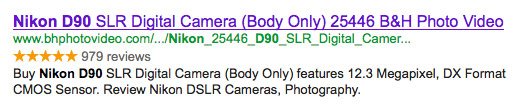
There have been many discussion recently about the future of the web search and why it will rely on semanticity. The first moves towards that goal are already defined and can be seen in Rich Snippets implementations but before I will start explaining how to implement Rich Snippets let me describe what they are and what is their true purpose.
Rich Snippets are small pieces of code, mainly normalised HTML tag attributes (i.e. item-prop or classes) which once added to your page's source code can he…